

Understand and Select Language Models (LLMs)
Behind Ayunis Core are so-called language models (also called LLMs – Large Language Models). These models generate the texts and responses you receive in chat. Here you’ll learn what you need to know about them.
What is a Language Model?
Section titled “What is a Language Model?”A language model is software trained on vast amounts of text. Through this training, it has learned how language is structured and can independently generate texts, answer questions, summarize content, or translate. The responses are generated word by word based on probabilities – the model “calculates” which word fits best next.
Available Models
Section titled “Available Models”Which language models are available to you is determined by your administrator. The default model for your organization is also set by the administrator. You can see the available models in the model selector in the chat input area. For each model, you can open a detailed info card with details on suitability, consumption, and hosting location.
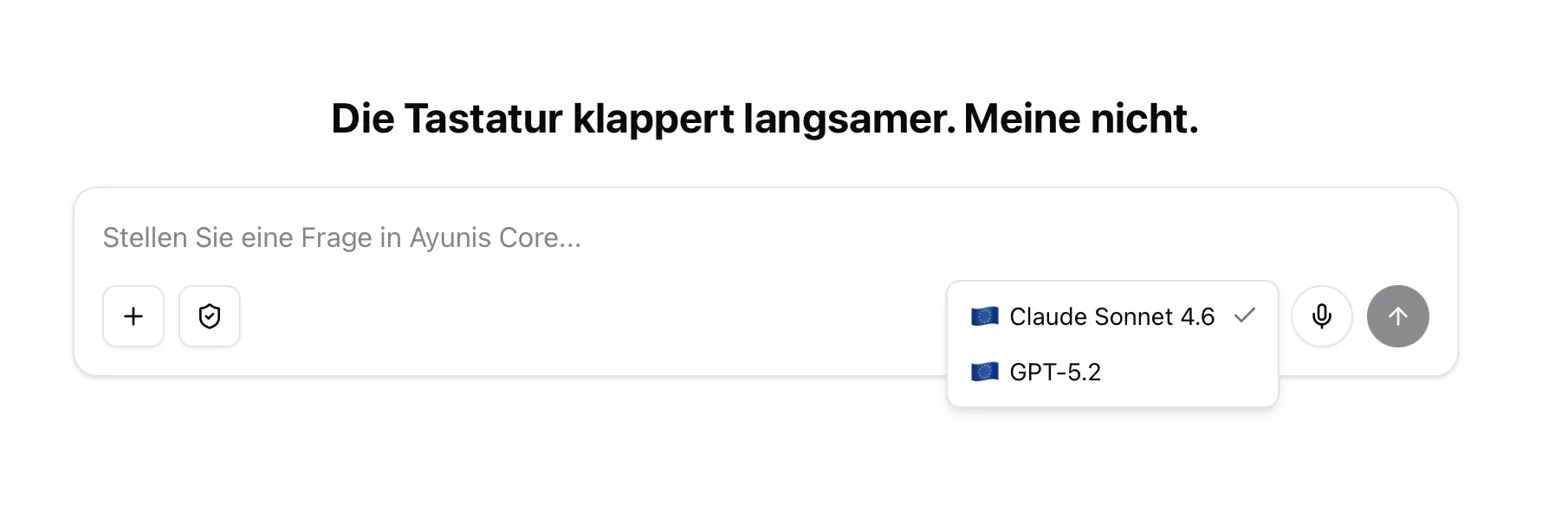
Which Model Should I Choose?
Section titled “Which Model Should I Choose?”When creating a chat, you can select a language model from the models enabled by your administrator.
Your Organization’s Default Model
Section titled “Your Organization’s Default Model”Your administrator has set a default model for your organization. This model is automatically suggested when you start a new chat. It is suitable for most everyday tasks. You can set your own default model in your chat settings, which will override the organization setting for you.
Model Info Card
Section titled “Model Info Card”When selecting a model, you can hover over a model name to see a detailed info card. The card shows:
- Model description — a brief summary of what the model is best suited for
- Usage tier — how much of your allowance each message consumes (e.g., “Low usage”, “Medium usage”, “High usage”)
- Hosting location — where the model is hosted and by which provider, indicated by a country flag
This helps you make an informed choice, especially when weighing performance against consumption or when data residency matters.
Provider Fault Warning
Section titled “Provider Fault Warning”Occasionally, a language model may temporarily not work reliably due to an issue with the external provider. In this case, you will see a warning icon (⚠️) next to the model name in the model selector. Hovering over it displays a notice that there is a known issue with this model.
If you already have a chat open with an affected model, an additional yellow warning banner is shown above the input area: you can continue the conversation, but individual responses may fail.
Next Steps
Section titled “Next Steps”- Prompting: Basics & Best Practices – How to get the best out of the language model