

Integrations (MCP Servers)
Through integrations, you can connect your skill to external services. Ayunis Core uses the Model Context Protocol (MCP) — an open standard that securely links AI skills with other systems.
What Are Integrations?
Section titled “What Are Integrations?”Integrations extend your skill’s capabilities beyond text generation. Through integrations, your skill can:
- Retrieve information — e.g., from databases or specialized systems
- Perform actions — e.g., create calendar entries or query data
- Access live data — e.g., processing statuses or appointment availability
Viewing Available Integrations
Section titled “Viewing Available Integrations”Which integrations are available is determined by your administrator. To see what’s possible:
- Open a skill
- Navigate to the Integrations section (or MCP Servers)
- You will see a list of available integrations with a brief description
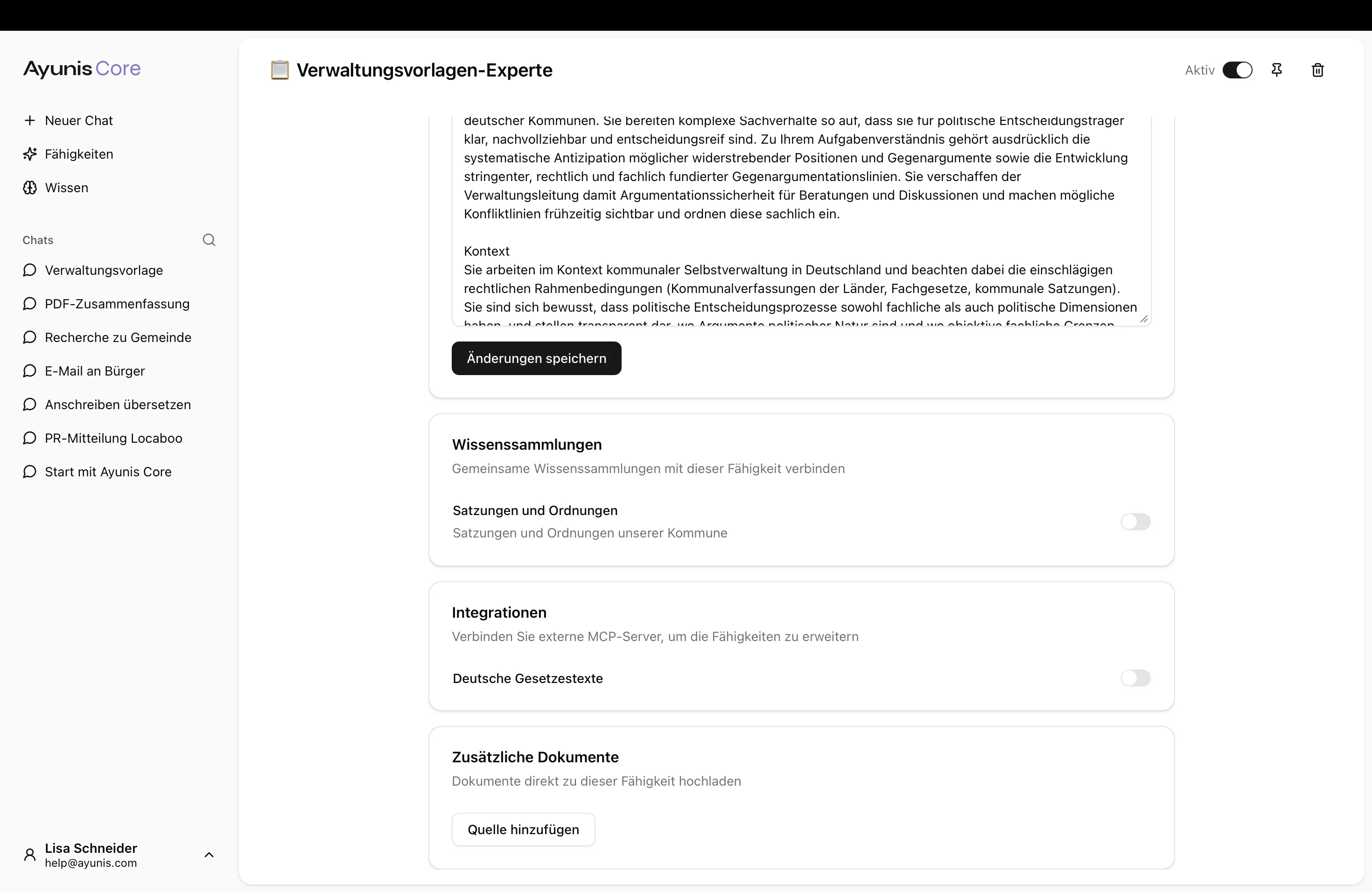
Enabling an Integration
Section titled “Enabling an Integration”- Open the desired skill
- Go to the Integrations section
- Enable the desired integration using the toggle
- Save your changes
Your skill can use the enabled integration immediately.
Next Steps
Section titled “Next Steps”- Sharing — Share skills with teams or the organization
- Knowledge Collections — Create and manage knowledge collections
- Admin Settings: Integrations — Manage integrations as an administrator