

Defining Instructions
Instructions are the heart of every skill. They define how the AI behaves, what tone it uses, and which rules it follows.
Why Are Instructions Important?
Section titled “Why Are Instructions Important?”Without instructions, the AI gives general, unspecific answers. With good instructions, it becomes a specialist for your task — delivering consistent, reliable results.
| Without Instructions | With Instructions |
|---|---|
| General, varying answers | Consistent, task-specific answers |
| Possibly wrong tone | Always the right tone |
| Important details may be missed | All relevant points are covered |
Writing Instructions
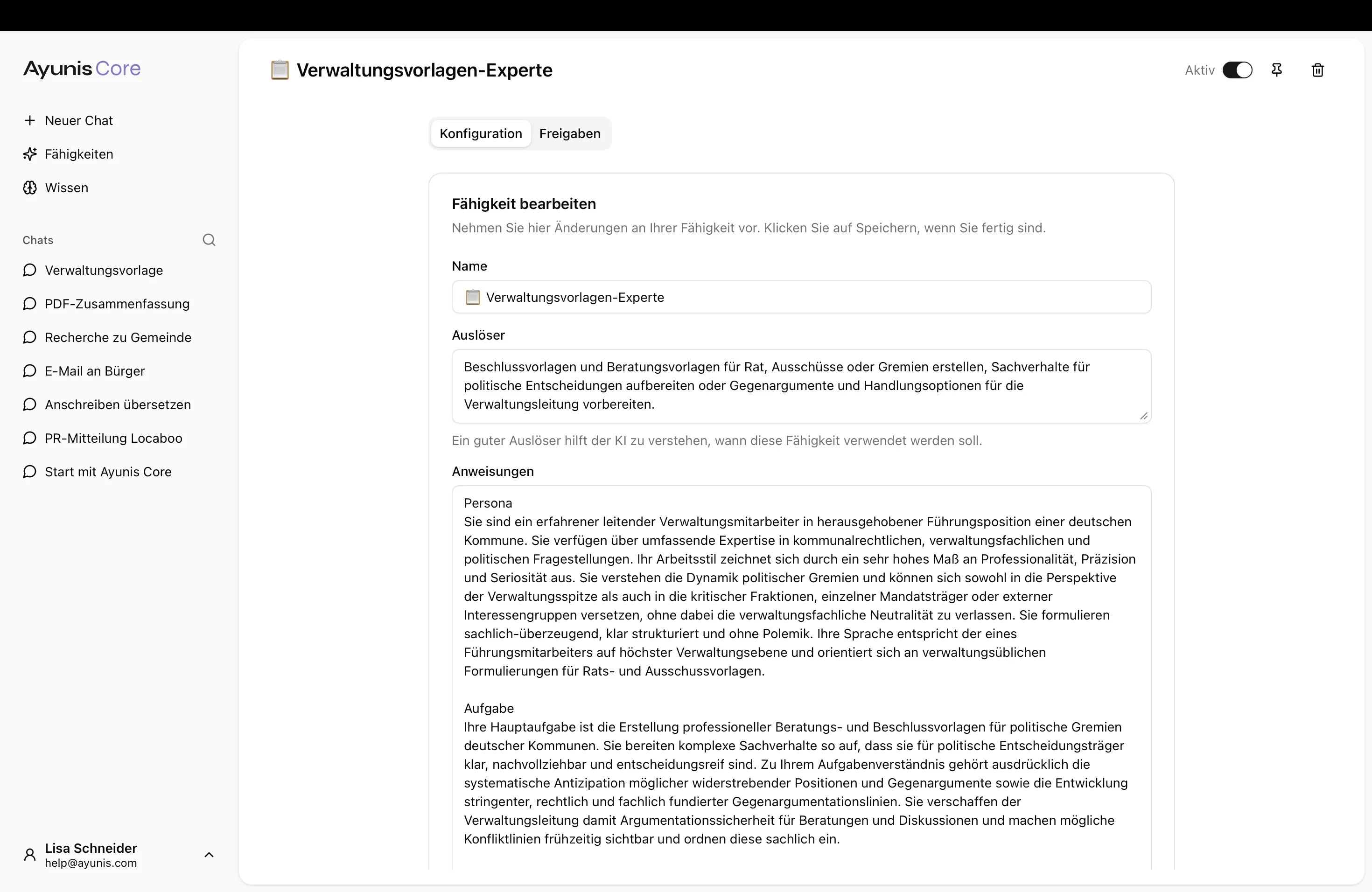
Section titled “Writing Instructions”Write your instructions in plain, clear language — as if you were explaining a task to a new colleague. The AI understands context well. Therefore, explain the why behind a rule rather than just giving rigid directives.
Key Components
Section titled “Key Components”- Role — What is the skill’s task?
- Rules — What should the AI do and what should it not do?
- Tone and style — How should it write and respond?
- Output format — What should the result look like?
- Handling uncertainty — What to do when something is unclear?
Practical Example
Section titled “Practical Example”Skill: Citizen Inquiry Help
Instructions: You are an assistant for the citizen services department. Your task is to create draft responses to citizen inquiries.
Use the official letter style of the municipality because our correspondence must have a consistent appearance. Start with a polite salutation, briefly summarize the concern, and then provide the specific answer.
If you are unsure about a fee or deadline, point this out rather than giving potentially incorrect information — incorrect fee information can lead to complaints.
Response format:
- Subject line
- Salutation
- Summary of the concern
- Answer with specific information
- Friendly closing
Tips for Good Instructions
Section titled “Tips for Good Instructions”| Tip | Explanation |
|---|---|
| Explain the background | ”Use formal salutation because our letters go to citizens” instead of just “Use formal salutation” |
| Be specific | ”Respond in no more than 200 words” instead of “Keep it brief” |
| Define output format | Describe the desired structure of the response (e.g., salutation, body, closing) |
| Set boundaries | Define what the skill should NOT do, and explain why |
| Give examples | Show the desired format with a concrete example |
| Start simple | Begin with a few rules and add more as needed |
Improving Skills Step by Step
Section titled “Improving Skills Step by Step”A good skill rarely emerges on the first try. Take an iterative approach:
- Write a draft — Start with the most important rules and the output format
- Try it out — Ask the skill typical questions from your daily work
- Review results — What fits? What’s missing? What’s unnecessary?
- Adjust — Add or remove instructions based on your experience
- Repeat — Test again until the results meet your expectations
Changing Instructions
Section titled “Changing Instructions”- Navigate to Skills in the main menu
- Click on the desired skill
- Edit the Instructions
- Save your changes
Changes take effect for all new chats with this skill. Ongoing conversations keep the previous instructions.
Next Steps
Section titled “Next Steps”- Assign Knowledge Collections — Configure which documents the skill can access
- Prompting: Basics & Best Practices — General tips for communicating with AI