

Skills
In your daily work, there are tasks that come up again and again: answering citizen inquiries, summarizing minutes, drafting official notices. With skills, you teach the AI how to handle exactly these recurring tasks — set up once, use permanently.
Why Use Skills?
Section titled “Why Use Skills?”Without skills, you have to re-explain to the AI every time what tone to use, which rules apply, and which documents to reference. For recurring tasks, this costs time and leads to inconsistent results. With skills, this happens automatically:
| Without Skills | With Skills |
|---|---|
| You explain the context every time | The AI already knows the context |
| Answers vary each time | Consistent results in the same style |
| Each colleague writes their own instructions | The whole team uses the same template |
| No access to your documents | AI accesses your ordinances, regulations, and internal documents |
In short: The more often a task occurs, the more time you save with a skill.
How Do Skills Work?
Section titled “How Do Skills Work?”Skills are automatically activated when they match your question. The AI uses the trigger to recognize which skill is relevant and applies its instructions, knowledge collections, and integrations. You can also pin skills manually to use them deliberately in a specific chat.
A skill consists of several building blocks:
| Building Block | Explanation |
|---|---|
| Name and Trigger | So you and your team can identify the skill — and the AI knows when to activate it |
| Instructions | Rules and guidelines that the AI follows |
| Knowledge Collections | Documents that the skill can access |
| Integrations | Connections to external services and tools |
| Sharing | Define who can use the skill |
Typical Use Cases
Section titled “Typical Use Cases”| Recurring Task | What the Skill Does for You |
|---|---|
| Answering citizen inquiries | Drafts response letters in your authority’s official style and knows the applicable ordinances and regulations |
| Summarizing minutes | Creates compact summaries from meeting minutes with decisions and open tasks |
| Drafting notices and letters | Creates drafts for official notices according to your administration’s guidelines |
| Onboarding new employees | Answers frequently asked questions about procedures, responsibilities, and internal regulations |
| Researching specialized topics | Knows your ordinances and regulations and answers questions based on these documents |
Practical Example
Section titled “Practical Example”Your citizen services department processes many similar inquiries daily. You create a skill called “Citizen Inquiry Help” that:
- Formulates response letters in your authority’s style
- Can access your municipality’s ordinances and regulations (knowledge collections)
- Researches current information from the internet
From now on, you just ask your question in the chat — the skill is automatically activated and delivers a ready-made draft response.
In This Section
Section titled “In This Section”| Topic | What You’ll Learn |
|---|---|
| Name, Trigger, and Pinning | Naming, automatic and manual activation |
| Define Instructions | How to give the AI clear guidelines |
| Assign Knowledge Collections | How to configure document access |
| Integrations (MCP Servers) | How to connect external services |
| Sharing | How to share your skills with teams or the organization |
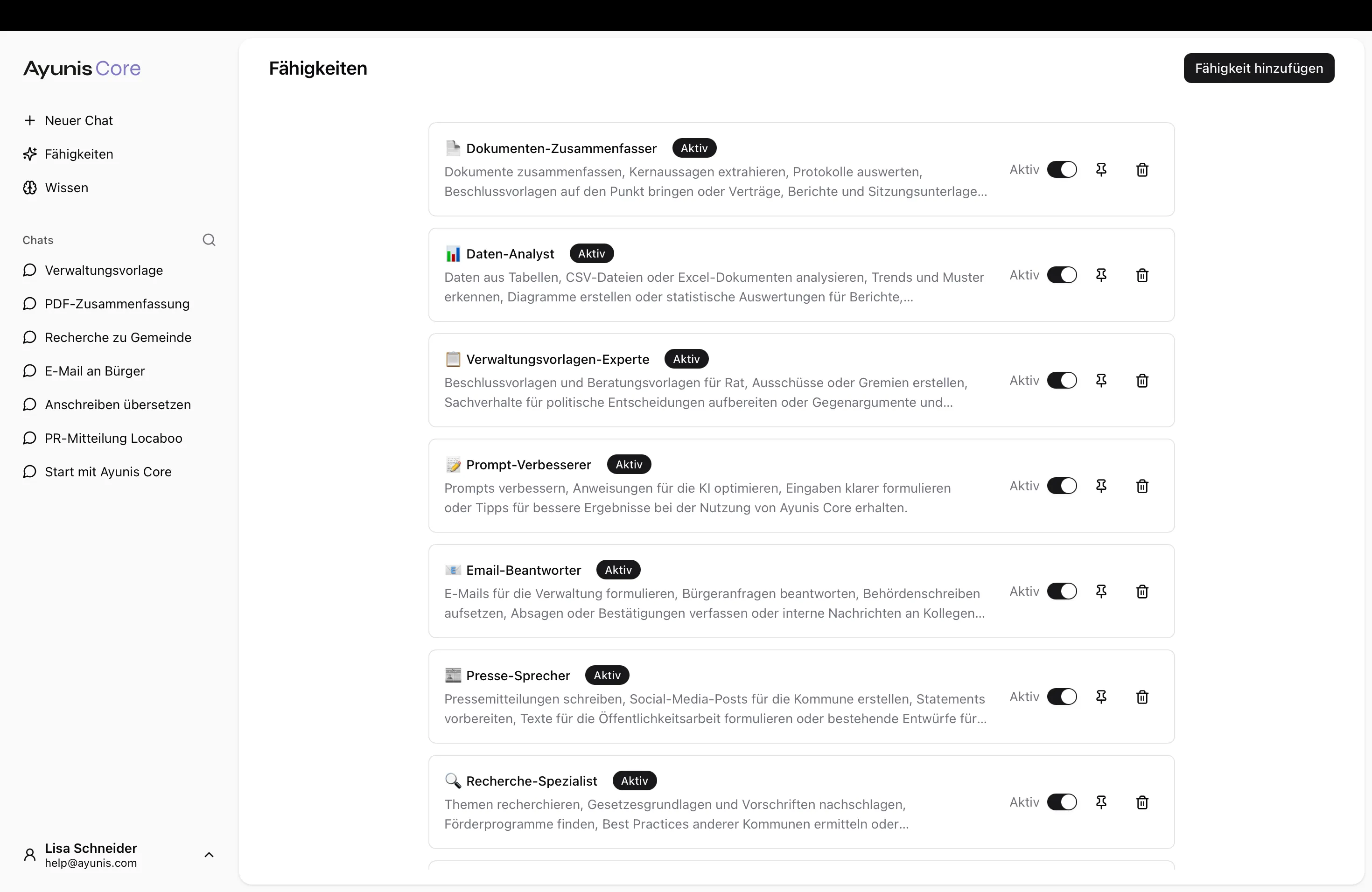
Create a Skill – Quick Guide
Section titled “Create a Skill – Quick Guide”- Navigate to Skills in the main menu
- Click Add Skill
- Enter a name and a trigger
- Write instructions for the AI
- Optionally add knowledge collections and integrations
- In the Sharing tab, define who can use the skill
- Click Create
Your new skill will be automatically activated when a matching question is asked.